Guide for the operator
Working the phone, with a call centre and without one: what to ask during the call, how to turn the conversation into a ride and what to do when the call drops.
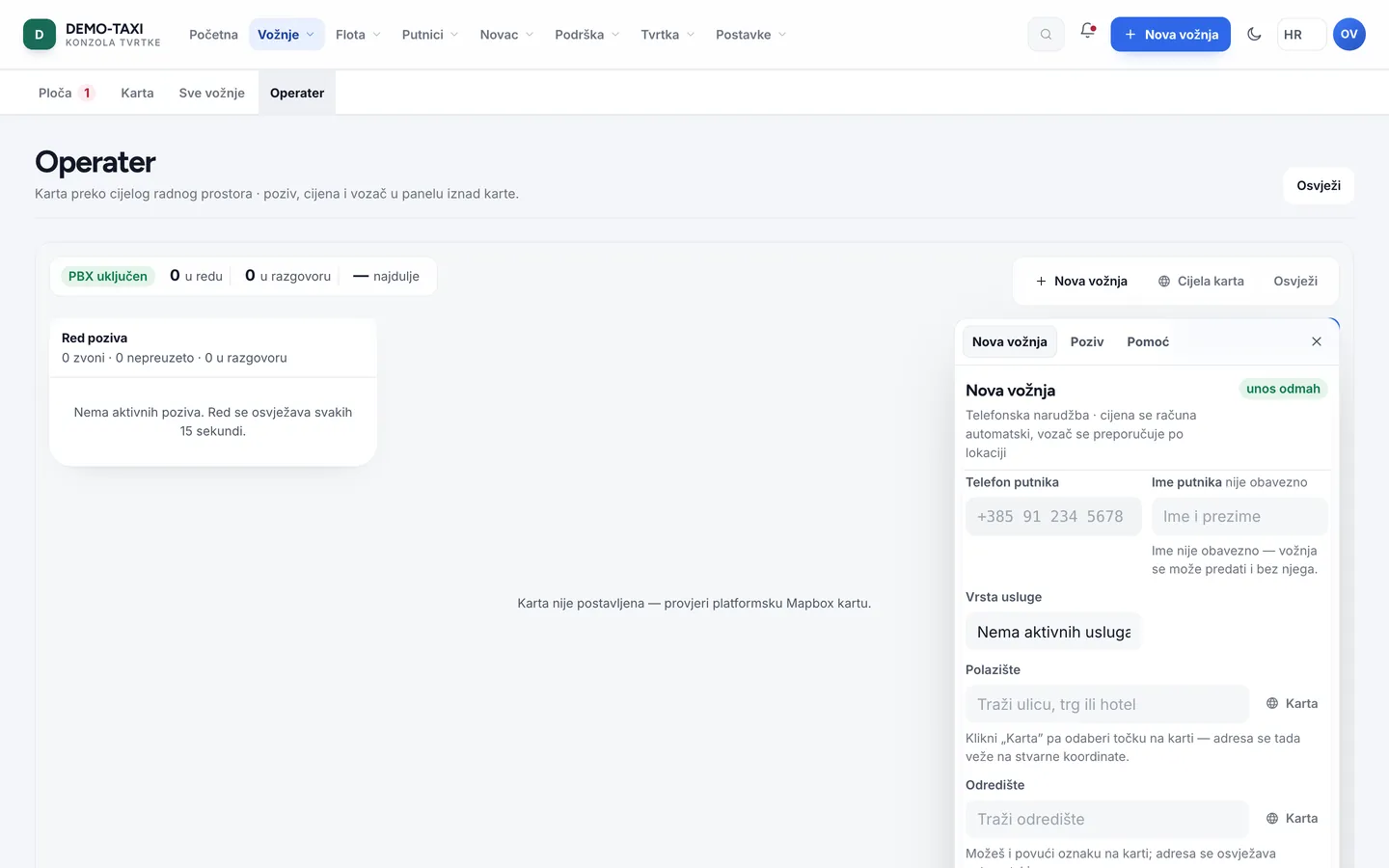
An operator (OPERATOR) works in Rides → Operator. The addon.operator_console module enables phone bookings and the call centre; telephony (PBX) is an addition inside the same module and is not a precondition — the operator works even when calls arrive on an ordinary phone.
Working without a PBX
- The call arrives on the company phone; the operator opens Operator in the console and enters the booking.
- Enter the passenger’s name and phone — the number lets the driver reach them through a masked number when telephony is enabled.
- Choose the pickup address and destination, service type and payment method, then confirm.
Working with a PBX
| Action | Where | What happens |
|---|---|---|
| Call list | Operator → Calls | Incoming, missed and finished calls with duration and number |
| Link a call to a ride | Call detail | The call links to the ride, so history knows who booked it |
| Transfer | Call detail | The call goes to another operator or dispatcher; the trace stays in the log |
| Telephony settings | Operator → Settings | Webhook token for the provider, number masking and recording rules |
The passenger’s number is never given to the driverThe driver presses Call in the app and the call goes through a masked number. The driver never receives the passenger’s real number, and the passenger never receives the driver’s.
Booking from a call — what to ask
- Where are you? — exact address and a landmark; without an address, write a description and let the driver confirm on arrival.
- Where to? — destination; without it the ride is open-ended and the price is an estimate.
- When? — now or later. Scheduled rides need the
addon.scheduled_ridesmodule. - How will you pay? — cash or card. If the company has corporate accounts, ask whether the ride goes on the company account (
addon.corporate_accounts). - Name and number — for contact and the receipt; repeat the number back.
Special situations
| Situation | What to do |
|---|---|
| The passenger does not know the address | Enter the venue name or street and number; the map and address search work on partial names too |
| No vehicle is free | Quote the waiting estimate from the app (arrival) and offer a ride booked ahead |
| The passenger cancels by phone | Cancel the ride with the reason Passenger cancelled — the reason feeds cancellation statistics |
| The call drops | Check whether the booking was created; if not, call back and finish it in the same open form |